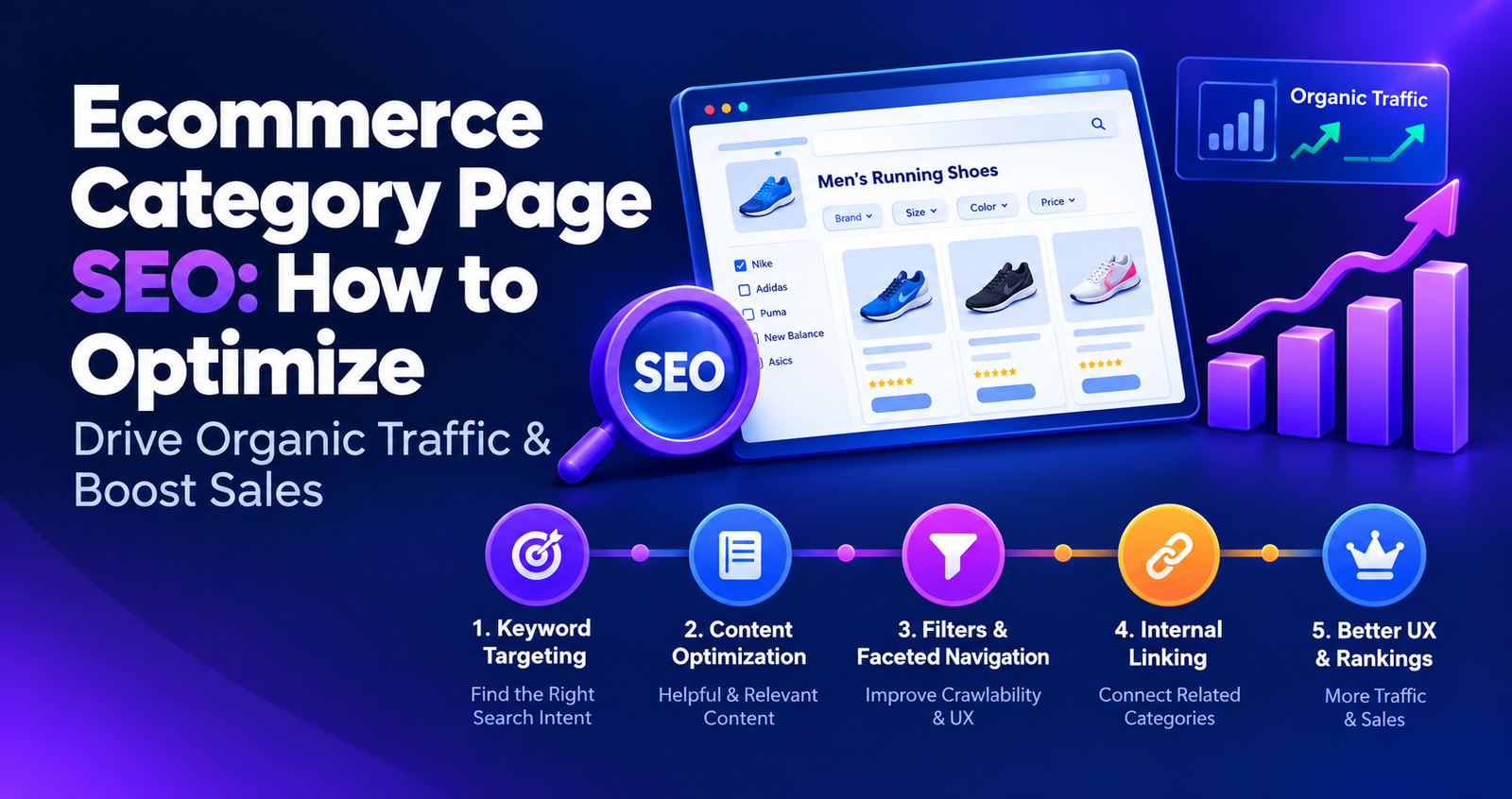
Ecommerce Category Page SEO: How to Optimize
If you run an online store, your product pages are not the only pages that can bring customers from Google.
Your category pages can be just as important.
Think about how people actually shop online. Someone searching for “men’s running shoes” may not know which product they want yet. They want to compare different options, brands, prices and features.
That is exactly where a well-optimized ecommerce category page can help.
Instead of treating a category page as nothing more than a product grid, you can build it into a useful landing page that helps shoppers discover products and helps search engines understand what the category is about.
In this guide, we’ll explain ecommerce category page SEO step by step, including keyword targeting, category structure, content, internal linking, filters, URLs, pagination, user experience and common SEO mistakes.
What Is an Ecommerce Category Page?
An ecommerce category page is a page that groups related products into a specific category.
For example:
- Men’s Running Shoes
- Women’s Kurtis
- Office Chairs
- Wireless Earbuds
- Gaming Laptops
- Organic Face Wash
Depending on the ecommerce platform, these pages may also be called collection pages, product listing pages or category pages.
The purpose is simple: help shoppers find and compare products within a particular product group.
From an SEO perspective, these pages can also target broader product-related searches where the user is still comparing options rather than looking for one specific product.
Why Are Category Pages Important for Ecommerce SEO?
A category page can sit at an important level in your website structure.
It can connect your homepage to subcategories and products while also giving search engines more context about how your ecommerce website is organized.
For example, a store might have this structure:
- Home
- Men
- Men’s Shoes
- Men’s Running Shoes
- Individual Product
This structure makes it easier for shoppers to move from a broad category toward a specific product.
It also creates opportunities for internal links between related pages.
However, simply creating hundreds of categories does not automatically improve SEO. Each category should have a clear purpose and should exist because it is genuinely useful for your customers.
Category Pages vs Product Pages
One of the easiest ways to understand ecommerce SEO is to separate the purpose of category pages from product pages.
| Category Page | Product Page |
|---|---|
| Groups related products | Focuses on one product |
| Usually targets broader searches | Usually targets specific product searches |
| Helps shoppers compare options | Helps shoppers evaluate one product |
| Links to multiple products | Provides detailed product information |
For example, “women’s running shoes” could be a category topic, while “Nike Air Zoom Pegasus 41” could be a product topic.
Keeping these purposes separate can help prevent different pages on your website from competing for exactly the same search intent.
How to Optimize Ecommerce Category Pages for SEO
Now let’s look at the practical steps.
1. Choose One Primary Keyword for Each Category
Start with the search phrase your customers are most likely to use when looking for that category.
Do not start with your internal product naming system.
Your store may call a category:
“Performance Footwear Collection”
But customers may search for:
“men’s running shoes”
The second phrase may be much more useful for an SEO-focused category page.
Before choosing the keyword, check:
- What people actually search for
- Whether the keyword is relevant to your products
- What type of pages are ranking for the keyword
- Whether the search has product or shopping intent
- Whether you already have another page targeting the same topic
Most importantly, avoid creating multiple category pages that are essentially targeting the same keyword.
2. Make Sure the Category Matches Search Intent
Keyword selection alone is not enough.
You also need to understand what the searcher expects to see.
Suppose someone searches for:
“office chairs”
A page displaying multiple office chairs may be a natural match.
But if someone searches for:
“how to choose an office chair”
they are probably looking for educational information rather than a product category.
This is why search intent matters.
Before optimizing a category page, search your target keyword and look at the pages that Google considers relevant. If the results are dominated by product categories and ecommerce pages, that is a useful signal that your category page may be an appropriate content type.
If you want to understand search intent more deeply, it should also be part of your broader on-page SEO strategy.
3. Create a Clear and Descriptive Category Name
Your category name should immediately tell shoppers what they will find on the page.
For example:
Better: Men’s Running Shoes
Less clear: Performance Collection
A descriptive category name is easier for shoppers to understand and gives your page a clearer topical focus.
Avoid using clever or creative names if customers are unlikely to understand what the category contains.
4. Optimize the Category Page Title Tag
The title tag is one of the important pieces of information search engines can use to understand your page.
Your category title should clearly communicate what the page offers.
For example:
Men’s Running Shoes | Lightweight & Performance Footwear
Instead of:
Shop Collection | Store Name
Keep the title natural and useful for searchers.
Do not repeatedly add the same keyword simply to make the title more “SEO friendly.”
5. Write a Clear H1 Heading
Your category page should have a clear main heading that tells visitors what the page is about.
For example:
Men’s Running Shoes
The H1 should match the actual category rather than using generic headings such as:
- Products
- Shop Now
- Our Collection
- Featured Products
Your visitors should understand the category immediately when they land on the page.
6. Keep the Category URL Simple
Your main category URLs should be readable and logically structured.
For example:
is easier to understand than:
You do not need to include every possible keyword in the URL.
Keep it short, descriptive and consistent with your website structure.
7. Add Useful Category Content
One common ecommerce SEO problem is the category page that contains almost nothing except a heading and a product grid.
That may be enough for a shopper who already knows what they want, but it gives the page very little contextual information.
That does not mean you should add a 2,000-word article above your products.
Instead, think about what information would genuinely help the customer.
You could explain:
- What products are included in the category
- Who the products are suitable for
- Important differences between products
- How customers can choose the right option
- Important materials or features
- Common buying questions
The objective is not to hit a particular word count.
The objective is to make the category page more useful.
8. Put a Short Introduction Near the Top
A short introduction can help establish the topic of the category without pushing the products too far down the page.
For example:
“Explore our collection of men’s running shoes designed for daily training, long-distance running and comfortable everyday workouts. Compare lightweight, cushioned and performance-focused options from leading brands.”
This gives both shoppers and search engines useful context while keeping the shopping experience focused on the products.
9. Add Detailed Buying Information Below the Products
If your customers need more information before buying, consider placing longer educational content below the main product grid.
For example, a category page for office chairs could explain:
- How to choose the right chair
- Difference between ergonomic and standard chairs
- What seat height to consider
- Which materials are easier to maintain
- What features matter for long working hours
This approach allows shoppers to browse products first while still providing useful information for people who need more guidance.
10. Use Internal Links to Strengthen Important Categories
Internal linking is especially important for ecommerce websites.
Your most important category pages should not be isolated.
Consider linking to them from:
- Homepage
- Main navigation
- Parent categories
- Subcategories
- Relevant blog posts
- Buying guides
- Related product pages
For example, a blog post about choosing running shoes could naturally link to your Men’s Running Shoes category.
This creates a useful relationship between informational content and commercial pages.
For a complete ecommerce site structure, see our E-commerce SEO services.
11. Use Breadcrumbs
Breadcrumbs show shoppers where they are within your website hierarchy.
For example:
Home > Men > Shoes > Running Shoes
They can make navigation easier, particularly on large ecommerce websites with multiple category levels.
Breadcrumbs can also communicate the relationship between pages in your site structure. Google supports Breadcrumb structured data for helping search engines understand a page’s position within a site hierarchy. :contentReference[oaicite:1]{index=1}
12. Build a Logical Category Hierarchy
Your ecommerce website should have a structure that makes sense to both shoppers and search engines.
For example:
- Home
- Men
- Men’s Clothing
- Men’s T-Shirts
- Men’s Oversized T-Shirts
Do not create dozens of category levels simply because your platform allows you to.
Use categories and subcategories when they genuinely help customers find products.
13. Be Careful With Filters and Faceted Navigation
This is one of the most important technical SEO considerations for larger ecommerce websites.
Filters can allow shoppers to narrow products by:
- Color
- Size
- Brand
- Price
- Material
- Rating
- Style
The problem begins when every combination of filters creates a new URL that search engines can discover.
A store with 20 categories and several filters can potentially create a very large number of URL combinations.
Not every combination deserves to become a searchable landing page.
14. Decide Which Filter Pages Have SEO Value
Some filtered combinations may represent genuine customer demand.
For example, if people regularly search for:
black leather sofas
and your store has a meaningful collection of those products, that combination may deserve consideration as a dedicated landing page.
But creating indexable pages for every possible combination of:
- Color
- Size
- Price
- Brand
- Rating
can create unnecessary URL variations and duplicate or low-value pages.
The correct technical solution depends on your ecommerce platform and site structure, so large stores should review faceted navigation as part of a broader technical SEO strategy.
15. Handle Pagination Carefully
Large categories may contain hundreds or thousands of products.
Instead of loading everything on one page, ecommerce websites often divide products across multiple pages.
For example:
- /mens-running-shoes/
- /mens-running-shoes/page/2/
- /mens-running-shoes/page/3/
Make sure important products remain discoverable through crawlable links and that your website does not create unnecessary duplicate or confusing URLs.
Also test your category pages on mobile to make sure shoppers can move through products without frustration.
16. Do Not Put Product Schema on Category Pages Just Because They Contain Products
This is an important distinction.
A category page can display many products, but that does not make it a single-product page.
Google’s current documentation says Product rich results are intended for pages focused on a single product or variants of the same product, and recommends focusing Product markup on product pages rather than pages listing a category of products. :contentReference[oaicite:2]{index=2}
So do not simply copy Product schema onto your category page because you see product cards on the page.
Product structured data should be implemented according to the actual page type and Google’s current requirements.
17. Optimize Product Cards Inside the Category
Your category page is not only about the category description.
The individual product cards also contribute to the usefulness of the page.
Make sure shoppers can easily see important information such as:
- Product name
- Product image
- Price
- Availability where appropriate
- Important product variations
- Clear link to the product page
A category page should make product discovery easy.
18. Optimize Images Without Slowing Down the Page
Ecommerce websites often contain many large product images.
Large images can increase page weight and affect the shopping experience, particularly on mobile connections.
Review:
- Image dimensions
- File sizes
- Image formats
- Lazy loading implementation
- Alt text where appropriate
Do not make images unnecessarily large just because they look sharper in the original file.
19. Make Category Pages Useful on Mobile
Open your category pages on an actual phone and try to shop like a customer.
Can you:
- See the category name clearly?
- Open filters easily?
- Compare products?
- Read prices?
- Tap product links comfortably?
- Move between pages?
- Return to the previous category?
If the answer is no, improving the mobile experience should be part of your ecommerce SEO work.
20. Handle Out-of-Stock Products Carefully
Products will sometimes go out of stock.
That does not mean you should immediately delete the product or category page.
The right decision depends on whether the product will return, whether it has search demand, whether it has backlinks and whether a relevant replacement exists.
For temporary stock issues, keeping a useful product page available can sometimes make more sense than removing it immediately.
For permanently discontinued products, consider whether the URL should remain useful, redirect to a genuinely relevant replacement or be handled differently based on the situation.
21. Avoid Creating Too Many Thin Categories
More categories do not automatically mean more SEO traffic.
If you create a category containing only two products because you want another keyword-focused URL, ask whether the category is genuinely useful to shoppers.
A strong ecommerce website usually has categories that make sense from a customer perspective first.
SEO should support that structure rather than forcing an artificial one.
22. Avoid Duplicate Category Content
If several categories have almost identical descriptions, you are not giving shoppers much additional value.
Instead of changing a few words and repeating the same paragraph across multiple categories, explain what makes each category different.
For example, separate categories for:
- Running Shoes
- Walking Shoes
- Training Shoes
should explain the differences that matter to customers rather than using the same generic paragraph three times.
23. Connect Blog Content to Category Pages
Your blog can support your ecommerce category pages.
Imagine you sell running shoes.
You might publish articles such as:
- How to Choose Running Shoes
- Running Shoes for Beginners
- How Often Should You Replace Running Shoes?
- Running Shoes vs Training Shoes
When the topic naturally relates to a category, link the article to the appropriate category page.
This helps readers move from informational content toward products while creating a stronger internal linking structure.
For a broader understanding of how SEO works across a website, you can also read What Is SEO?.
24. Don’t Optimize Every Category for the Same Keyword
Keyword cannibalization can become a problem when several pages are created for the same search intent.
For example, imagine an ecommerce store has these three pages:
- /running-shoes/
- /best-running-shoes/
- /running-shoes-online/
If all three pages exist primarily to target the same audience and intent, you should question whether all three are necessary.
Each important page should have a clear purpose.
25. Measure Category Page Performance
After optimizing your category pages, monitor what happens.
Useful data can include:
- Organic clicks
- Search impressions
- Search queries
- Organic landing page traffic
- Product clicks
- Add-to-cart activity
- Conversions
Google Search Console can help you understand the search queries and impressions associated with your pages, while your analytics platform can help you understand what visitors do after arriving.
Do not judge a category page only by its keyword ranking.
The bigger question is whether the page is attracting relevant visitors and helping them move toward a purchase.
Ecommerce Category Page SEO Checklist
Use this checklist when reviewing your category pages:
- Choose one clear primary keyword for the category
- Confirm that the keyword matches the category’s search intent
- Use a descriptive category name
- Write a clear SEO title
- Use a relevant H1
- Keep the URL short and descriptive
- Add a useful introduction
- Provide deeper buying information where it helps shoppers
- Use relevant internal links
- Implement breadcrumbs
- Keep the category hierarchy logical
- Review filters and faceted URLs
- Check pagination
- Optimize product cards
- Optimize category and product images
- Check the mobile shopping experience
- Handle out-of-stock products appropriately
- Avoid unnecessary thin categories
- Avoid duplicate category content
- Connect relevant blog content to category pages
- Avoid targeting the same intent with multiple pages
- Monitor organic traffic and conversions
Common Ecommerce Category SEO Mistakes
Here are some of the most common mistakes ecommerce websites should look for:
- Using generic category names: Customers should immediately understand what the page contains.
- Having no useful category context: A product grid alone may not fully explain the category.
- Adding huge blocks of text above products: SEO content should not make shopping difficult.
- Creating thousands of filter URLs: Not every filter combination needs to become an indexable page.
- Ignoring internal linking: Important categories should be connected to relevant parts of the website.
- Creating multiple pages for the same intent: Give every important page a distinct purpose.
- Ignoring mobile users: Category pages must remain easy to browse on small screens.
- Adding Product schema to category pages without understanding the page type: Product markup is intended primarily for individual product-focused pages. :contentReference[oaicite:3]{index=3}
Frequently Asked Questions
What is ecommerce category page SEO?
Ecommerce category page SEO is the process of optimizing product category or collection pages so that search engines can better understand them and shoppers can more easily find and compare relevant products.
Should ecommerce category pages have content?
Yes, but the goal is not to reach a specific word count. Add useful information that helps shoppers understand the category, compare products and make a decision without pushing the product grid unnecessarily far down the page.
How long should an ecommerce category page description be?
There is no universal ideal word count. The right amount depends on the category, competition, product complexity and customer questions. Start with the information shoppers actually need rather than writing content simply to make the page longer.
Should category pages have the same keyword as product pages?
They can be related, but you should avoid deliberately targeting the exact same search intent across multiple pages. Category pages generally work well for broader product-group searches, while product pages can focus on specific products, models or variants.
Should I index ecommerce filter pages?
Not every filter page needs to be indexed. Consider creating indexable landing pages only when a particular filtered combination represents meaningful customer demand and provides a genuinely useful page. Other filter-generated URLs may need different technical controls depending on the ecommerce platform and website structure.
Should I add Product schema to an ecommerce category page?
Generally, Product rich result markup is intended for pages focused on an individual product or its variants. Google recommends focusing Product markup on product pages rather than pages that list a category of products. :contentReference[oaicite:4]{index=4}
Are ecommerce category pages important for SEO?
They can be important because they can target broader product-related searches, organize products and connect different levels of an ecommerce website. Their value depends on the category, search demand, competition, website authority and overall site quality.
Final Thoughts
Ecommerce category page SEO is not about adding as many keywords or as much text as possible.
The strongest category pages are built around a clear purpose.
They help shoppers understand what the category contains, make it easy to compare products, provide useful information when needed and connect naturally with the rest of the website.
From an SEO perspective, focus on the fundamentals:
- Choose the right keyword and search intent.
- Create a clear category structure.
- Optimize titles, headings and URLs.
- Add useful category information.
- Build strong internal links.
- Control unnecessary filter-generated URLs.
- Keep the shopping experience fast and mobile-friendly.
- Measure organic visibility and business results.
You do not need to optimize every category on your website at once.
Start with the categories that are most important to your business, have real customer demand and have the potential to attract valuable organic traffic.
Need Help With Ecommerce SEO?
Optimizing ecommerce category pages can become complicated when your store has hundreds or thousands of URLs, filters, products and categories.
Avidra Solutions can help you identify technical SEO issues, improve ecommerce site structure, optimize important pages and build a strategy focused on sustainable organic growth.
Explore Avidra Solutions E-commerce SEO Services
Want to understand what is holding your ecommerce website back? Contact Avidra Solutions to discuss your website and SEO goals.